Verne

Trip planner

Is your trip plan still stuck in a chat?

Review and refine the plan you wrote with AI — on a map and timeline.
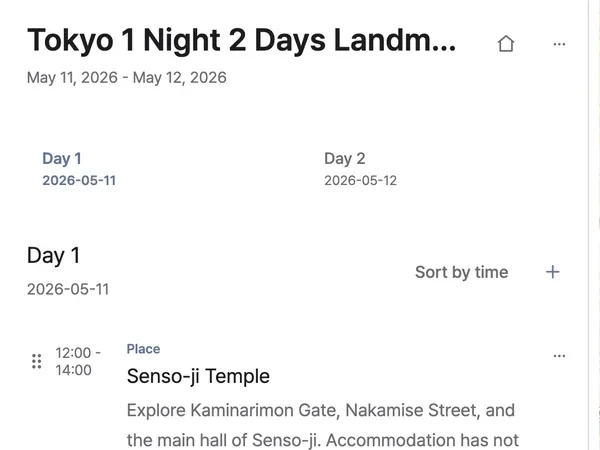
From the chat window onto the map

  1. A Verne timeline showing the trip title, dates, Day 1 and Day 2 tabs, and the first stop.

    Bring the plan the AI wrote

    An itinerary written in ChatGPT or Claude arrives as a timeline, day by day.
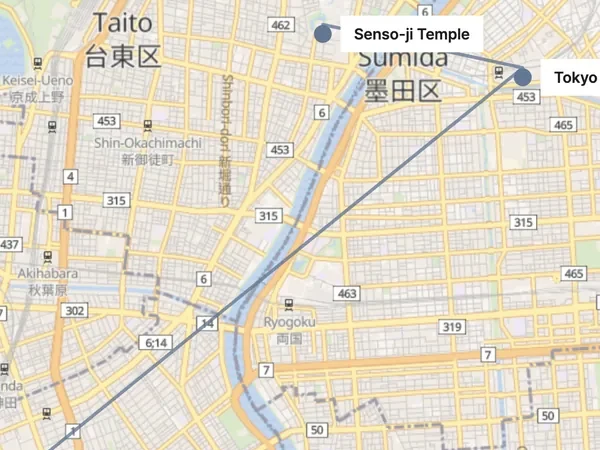
  2. A map with a route line drawn between two named stops.

    See the route on a map

    Every stop is placed and connected, so a day that asks too much shows itself.
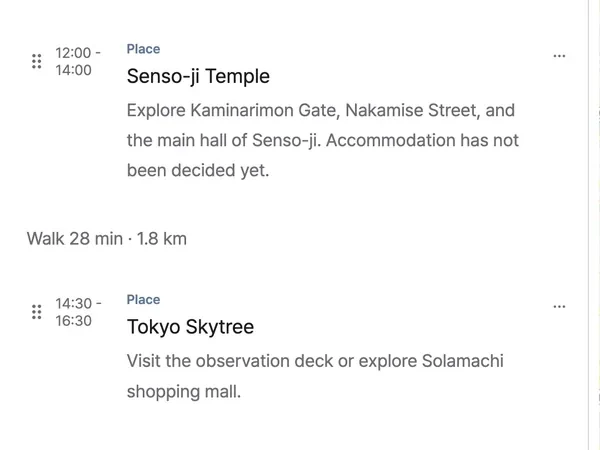
  3. A timeline with a walk of 28 min · 1.8 km between two stops.

    Refine it until it holds

    Reorder stops or change a time, and the travel time is worked out again.

Ask in ChatGPT, find it here

Connect Verne, plan in conversation, and the itinerary lands on a map and a timeline.

Connect the AI app you already use

Connect Verne in ChatGPT

  1. 1Open the plugin list in ChatGPT and find Verne.
  2. 2Find Verne in the directory, connect it, and approve access.
  3. 3Ask Verne in a chat to build or refine an itinerary.

Connect Verne MCP in your AI app

  1. 1Open MCP connector settings in your AI app.
  2. 2Add the endpoint https://api.verne.me/mcp.
  3. 3Approve the connection and start your plan.

Frequently asked questions

Can I plan on my own, without AI?
Yes. Start a trip in the workspace and add places by searching for them.
Which AI apps can connect?
The ChatGPT app connects directly; any other AI app that supports MCP connects by adding the endpoint.
Does my whole conversation get sent?
No. Only what the itinerary needs — places, dates, addresses, notes — reaches Verne.
Do I need an account?
Saving a plan needs a sign-in. Anyone you send a share link to can read it without one.
Does it cost anything?
Verne is free to use.

A plan finishes on the map, not in a chat window.